AI virtual try-on, explained
Virtual try-on used to mean a wobbly 3D jacket floating over a webcam feed. It doesn't any more. Today you hand an app two photos — the garment, and you — and it returns a photograph of you wearing that garment. This guide covers how that works, where it is genuinely useful, and the one thing it still cannot do.
Last updated 16 August 2026 · 9 min read
On this page
What virtual try-on actually is
Virtual try-on is any technology that shows a garment on a person without that person physically wearing it. The phrase covers two very different things, and conflating them is why people who tried it in 2019 remember it as a gimmick.
The first kind is AR try-on: a 3D model of a product tracked onto a live camera feed. It works well for objects with a fixed shape and a predictable anchor point — sunglasses on a nose bridge, a watch on a wrist, lipstick on lips. It works badly for clothing, because fabric drapes, and draping depends on a body it has no model of.
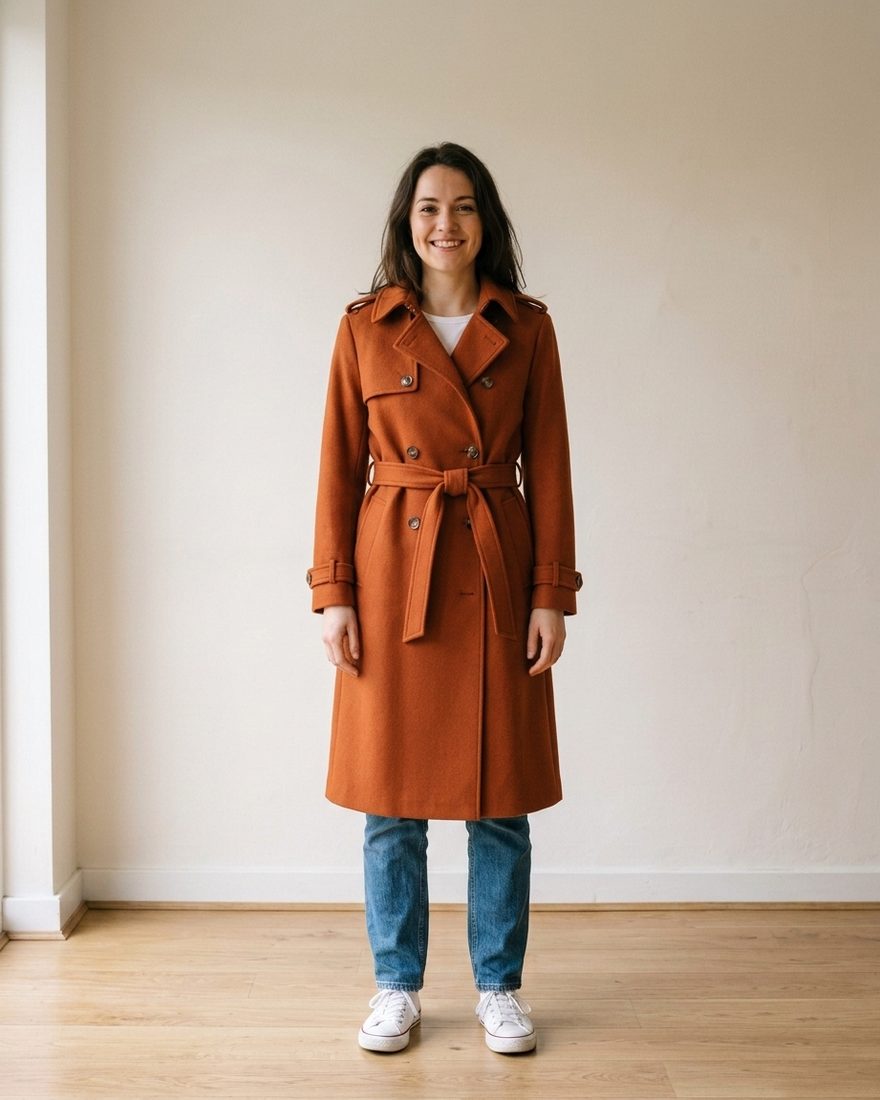
The second kind is AI virtual try-on — sometimes called image-based try-on or generative try-on. There is no 3D model and no live camera. An image model takes a photo of the garment and a photo of you, and generates a new photograph: you, in that garment, in your original pose and setting. This is the technique that made try-on useful for clothes, and it is what this guide is about.
How AI try-on works, step by step
From the outside it is two uploads and a wait. Underneath, roughly this happens:
- The garment is isolatedThe model reads the product photo and works out which pixels are the item — separating a coat from the mannequin, the hanger, the studio floor, and the model wearing it.
- Your body is readYour photo is analysed for pose, proportions, where your shoulders and waist sit, which way you are facing, and how the light falls on you.
- The garment is re-rendered onto youNot pasted — redrawn. Sleeves are regenerated to follow your arms, the hem is placed against your actual height, folds and shadows are synthesised to match your lighting.
- Everything else is preservedYour face, hair, hands, background and pose stay as they were. Only the clothing changes, which is what makes the result read as a photo of you rather than a photo of a model.
The whole round trip takes about 10–30 seconds on current models. That speed is the reason try-on stopped being a novelty: it is now faster than walking to a fitting room.
AR try-on vs AI try-on
| AR try-on / AI try-on | |
| What it needs | AR: a 3D asset built per product. AI: one flat photo of the product. |
| Catalogue coverage | AR: only products the retailer modelled. AI: anything with a photo, including second-hand listings. |
| Good for | AR: glasses, jewellery, make-up, furniture. AI: clothing, shoes, layered outfits. |
| Live or static | AR: live camera, moves with you. AI: a still image you keep and share. |
| Who has to build it | AR: the shop. AI: nobody — it works on shops that have never heard of the app. |
That last row is the practical difference. An AR try-on button only exists on the handful of product pages a brand paid to build. An AI try-on app works on a photo you took yourself in a shop you walked into.
How accurate is it?
Honest answer, split by what you are asking:
- Colour and pattern — reliable. A rust-coloured coat comes back rust-coloured. Stripes stay striped, checks stay checked, and prints land in roughly the right scale.
- Cut and length — reliable. Whether a hem lands mid-thigh or at your knee, whether a neckline is flattering on you, whether a boxy jacket makes you look wider: this is exactly what try-on answers well.
- Drape and texture — good. Heavy wool falls differently from silk, and models handle that convincingly. Very fine detail — a specific weave, small hardware, exact button shape — can drift.
- Sizing — not answered at all. No image model knows your chest measurement. It cannot tell you whether to take an M or an L, and any app claiming otherwise from a single selfie is overselling.
The useful mental model: try-on replaces "does this suit me?", not "is this my size?". Size charts still do the second job. Most returns, though, are the first question — people send back clothes that fit but look wrong.
Getting a photo that works
Result quality depends more on your input photo than on which app you use. What helps:
- Full body, or at least head to mid-thigh. A cropped headshot cannot show you a coat.
- Face the camera, arms clear of your torso. Crossed arms and hands in pockets hide the garment lines the model needs to place.
- Even light, plain background. Harsh shadow across your body confuses the lighting match.
- Fitted clothes in the photo. A baggy hoodie leaves the model guessing at your shoulders. A plain t-shirt is ideal.
- Keep two or three photos. One full-body for coats and dresses, one closer crop for tops. Swapping the source photo is usually the fastest fix for a bad result.
The garment photo matters too: a flat product shot or a shot on a model both work, but a crumpled item on a shop floor does not. Photographing a garment on the rack, hung straight and shot square-on, is enough.
When it saves you money
Try-on earns its place in a few specific situations rather than every purchase:
- Online orders you would otherwise return. Return shipping is increasingly charged to the buyer, and a flat-lay product photo tells you nothing about how a cut sits on your frame.
- Second-hand and vintage. One of each item, no returns, and usually a photo taken on somebody's floor. The stakes for guessing wrong are highest here.
- Two options, one budget. Trying both in a shop means undressing twice and still comparing from memory. Two try-on images sit side by side.
- Anything you're buying on impulse. Twenty seconds is short enough that you'll actually check, and long enough to break the impulse.
Privacy: where your photo goes
You are handing an app a photograph of yourself, so it is worth asking three questions before you install anything:
- Does it need an account? If a try-on app requires sign-up, ask what the profile is for. The generation itself doesn't need one.
- Where are the images stored? On your device, or in the company's cloud indefinitely?
- Is your photo used for training? Check the policy, not the marketing page.
Hoilo's own answers: no account, images stored in the app on your phone, and your photo sent to the image model only to produce the try-on you asked for. The full text is in the privacy policy.
Trying a garment on right now
Hoilo is an AI virtual try-on app for iPhone. You give it a garment — photograph one in a shop, paste a product link from any online store, or share a screenshot into it from any app — and one photo of yourself. It returns you wearing the item in about 20 seconds, grouped in a history by product so five attempts at the same coat stay together.
See yourself in it before you buy it
Free try-ons to start. No account, no sign-up, works with any shop.
Get Hoilo for iPhoneiOS 16+ · English, Slovak, Spanish